

Customizing Webflow Websites for Unique Business Needs: A Techno Softwares Guide
In the ever-evolving landscape of digital commerce, we recognize that each business possesses its own distinct identity and requirements. To effectively cater to these unique needs, we must first engage in a thorough analysis of the business’s goals, target audience, and industry trends. This foundational understanding allows us to create a website that not only reflects the brand’s essence but also serves as a powerful tool for achieving its objectives.
By conducting interviews with stakeholders and gathering insights from potential users, we can identify pain points and opportunities that will shape our design and development process. Moreover, we must consider the competitive landscape in which the business operates. By examining competitors’ websites and their strategies, we can pinpoint gaps in the market that our design can exploit.
This research enables us to craft a user experience that stands out while addressing the specific needs of the target audience. Ultimately, our goal is to create a digital presence that resonates with users, fosters engagement, and drives conversions, all while aligning with the overarching vision of the business.
Key Takeaways
- Understanding the unique business needs is crucial for creating a successful website design.
- Tailoring the design and layout to align with the brand’s identity and goals is essential for a cohesive online presence.
- Integrating custom features and functionality can enhance user experience and set the website apart from competitors.
- Optimizing for performance and user experience is key for retaining visitors and driving conversions.
- Utilizing Webflow’s CMS for dynamic content allows for easy management and updating of website content.
Tailoring the Design and Layout
Understanding Business Needs and Designing a Website
Once we have a firm grasp of the unique business needs, we can begin tailoring the design and layout of the website. A well-thought-out design is crucial for capturing visitors’ attention and guiding them through the user journey.
Creating a Visual Hierarchy and Aesthetics
We start by establishing a visual hierarchy that emphasizes key elements such as calls to action, product features, and brand messaging. By utilizing contrasting colors, typography, and spacing, we can create an aesthetically pleasing layout that enhances readability and navigability.
Functionality and User Experience
In addition to aesthetics, we must also consider functionality when designing the layout. We aim to create an intuitive navigation system that allows users to find information quickly and effortlessly. This involves organizing content into logical categories and ensuring that essential pages are easily accessible.
Building Trust and Converting Visitors into Customers
By prioritizing user experience in our design choices, we can foster a sense of trust and reliability, encouraging visitors to explore further and ultimately convert into customers.
Integrating Custom Features and Functionality
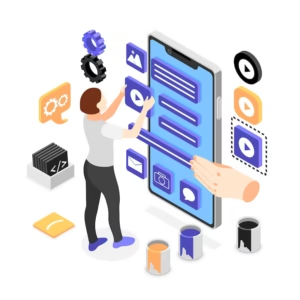
To truly differentiate our website from competitors, we need to integrate custom features and functionality that align with the business’s objectives. This could involve incorporating interactive elements such as quizzes, calculators, or personalized recommendations that engage users and provide them with tailored experiences. By leveraging these features, we can enhance user engagement and encourage visitors to spend more time on the site.
Furthermore, we should consider integrating third-party tools and services that can streamline operations and improve user experience. For instance, incorporating chatbots for customer support or integrating social media feeds can create a more dynamic and interactive environment. These custom functionalities not only enrich the user experience but also provide valuable data insights that can inform future marketing strategies.
Optimizing for Performance and User Experience
As we develop the website, optimizing for performance becomes paramount. A slow-loading site can deter users and negatively impact conversion rates. We must ensure that images are properly compressed, scripts are minified, and unnecessary plugins are removed to enhance loading times.
By prioritizing performance optimization, we create a seamless browsing experience that keeps users engaged. User experience (UX) is another critical aspect of our optimization efforts. We need to conduct usability testing to identify any potential roadblocks in the user journey.
Gathering feedback from real users allows us to make informed adjustments that enhance navigation and overall satisfaction. By continuously monitoring user behavior through analytics tools, we can identify areas for improvement and make data-driven decisions to refine the website further.
Utilizing Webflow’s CMS for Dynamic Content
One of the standout features of Webflow is its powerful content management system (CMS), which allows us to create dynamic content effortlessly. By utilizing Webflow’s CMS capabilities, we can build a flexible structure that accommodates various content types, such as blog posts, product listings, or portfolio items. This flexibility enables us to keep the website fresh and engaging by easily adding new content without requiring extensive coding knowledge.
Moreover, Webflow’s CMS allows us to implement custom fields tailored to the business’s specific needs. For instance, if we’re developing an e-commerce site, we can create fields for product specifications, pricing, and inventory levels. This level of customization ensures that our content is not only relevant but also optimized for search engines, enhancing visibility and driving organic traffic.
Implementing E-commerce Solutions

For businesses looking to sell products or services online, implementing robust e-commerce solutions is essential. We must carefully select an e-commerce platform that aligns with the business’s goals while providing a seamless shopping experience for users. Whether it’s integrating payment gateways or setting up inventory management systems, our focus is on creating a streamlined process that minimizes friction during checkout.
Additionally, we should prioritize security when implementing e-commerce solutions. Ensuring that customer data is protected through SSL certificates and secure payment processing is crucial for building trust with users. By providing a safe shopping environment, we not only enhance user confidence but also reduce cart abandonment rates, ultimately driving sales growth.
Ensuring Responsive and Cross-browser Compatibility
In today’s digital landscape, users access websites from a myriad of devices and browsers. Therefore, ensuring responsive design is non-negotiable. We must adopt a mobile-first approach in our design process to guarantee that the website functions seamlessly across various screen sizes.
By employing flexible grids and fluid images, we can create a layout that adapts effortlessly to different devices. Cross-browser compatibility is equally important; we need to test the website on multiple browsers to ensure consistent performance and appearance. This involves checking for any discrepancies in layout or functionality across platforms such as Chrome, Firefox, Safari, and Edge.
By addressing these issues proactively, we can deliver a polished experience that meets users’ expectations regardless of how they access the site.
Testing and Iterating for Continuous Improvement
The launch of a website is just the beginning of our journey; continuous improvement is vital for long-term success. We must establish a robust testing framework that allows us to gather data on user behavior post-launch. This includes monitoring key performance indicators (KPIs) such as bounce rates, conversion rates, and user engagement metrics.
Based on this data, we can identify areas for improvement and implement iterative changes to enhance the website further. A/B testing different design elements or content strategies enables us to make informed decisions backed by real user feedback. By fostering a culture of continuous improvement, we ensure that our website remains relevant and effective in meeting both business goals and user needs over time.
In conclusion, creating a successful website requires a comprehensive understanding of unique business needs, thoughtful design choices, integration of custom features, performance optimization, effective use of Webflow’s CMS, robust e-commerce solutions, responsive design practices, and a commitment to continuous improvement through testing and iteration. By embracing these principles, we can build digital experiences that not only meet but exceed expectations in today’s competitive online landscape.
If you’re exploring ways to customize your Webflow website to meet specific business requirements, you might also be interested in understanding how technology can be leveraged in other business applications. For instance, the process of ERP legacy migration is crucial for businesses looking to modernize their operations and integrate more seamlessly with advanced platforms like Webflow. This related article provides insights into transitioning from outdated ERP systems to more dynamic, scalable solutions, which can be particularly beneficial for businesses aiming to enhance their technological infrastructure alongside their website capabilities.
FAQs
What is Webflow?
Webflow is a web design and development platform that allows users to design, build, and launch responsive websites visually, without writing code.
What are the benefits of customizing a Webflow website for unique business needs?
Customizing a Webflow website allows businesses to create a unique online presence that aligns with their brand identity and specific business requirements. It also enables businesses to provide a tailored user experience for their target audience.
What are some examples of unique business needs that can be addressed through customizing a Webflow website?
Unique business needs that can be addressed through customizing a Webflow website include e-commerce functionality, custom integrations with third-party tools or services, personalized user interfaces, and specific design requirements.
How can Techno Softwares help in customizing Webflow websites for unique business needs?
Techno Softwares offers expertise in Webflow development and can provide custom solutions to meet the unique business needs of their clients. This includes custom design and development, e-commerce integration, and personalized user experiences.
What are some best practices for customizing Webflow websites for unique business needs?
Best practices for customizing Webflow websites include understanding the specific business requirements, conducting thorough research and planning, leveraging Webflow’s features and capabilities, and testing the customized solutions to ensure they meet the desired objectives.


