

How to Build High-Performance Mobile Apps with Flutter
As we embark on our journey into the world of mobile app development, we find ourselves captivated by Flutter, a UI toolkit created by Google. Flutter allows us to build natively compiled applications for mobile, web, and desktop from a single codebase. This cross-platform framework has gained immense popularity due to its ability to deliver high-performance applications with stunning visuals.
By utilizing the Dart programming language, Flutter enables us to create expressive UIs that are not only beautiful but also highly functional. What sets Flutter apart from other frameworks is its widget-based architecture. Each element of the user interface is a widget, which allows us to compose complex UIs from simple building blocks.
This modular approach not only enhances our productivity but also makes it easier to maintain and scale our applications. As we delve deeper into Flutter, we discover its rich set of pre-designed widgets and the flexibility it offers in customizing them to suit our needs. This combination of performance and aesthetic appeal makes Flutter an attractive choice for developers looking to create engaging mobile experiences.
Key Takeaways
- Flutter is a popular open-source UI software development kit created by Google for building natively compiled applications for mobile, web, and desktop from a single codebase.
- Choosing the right tools and libraries is crucial for developing high-performance apps with Flutter, such as using Dart programming language, Flutter DevTools, and popular libraries like Provider and GetX.
- Implementing best practices for UI/UX design in Flutter involves following material design guidelines, creating responsive layouts, optimizing for different screen sizes, and using custom animations for a polished user experience.
- Optimizing app performance and speed with Flutter can be achieved by reducing widget rebuilds, minimizing app size, using efficient data loading techniques, and leveraging hardware acceleration.
- Integrating APIs and backend services for seamless functionality in Flutter apps requires using packages like Dio for making network requests, Firebase for authentication and cloud services, and GraphQL for efficient data fetching.
- Testing and debugging strategies for high-performance mobile apps in Flutter include writing unit tests, widget tests, and integration tests, as well as using Flutter DevTools for debugging and performance profiling.
- Utilizing Techno Softwares’ expertise for building powerful apps involves leveraging their experience in Flutter app development, UI/UX design, and backend integration to create robust and high-performance applications.
- Future-proofing your mobile app with continuous support and maintenance means staying updated with the latest Flutter releases, fixing bugs and performance issues, and adding new features to keep the app competitive in the market.
Choosing the Right Tools and Libraries for High-Performance Apps
Streamlining Workflow with State Management and Networking Libraries
In our quest to develop high-performance applications with Flutter, selecting the right tools and libraries becomes paramount. The Flutter ecosystem is rich with packages that can significantly enhance our development process. From state management solutions like Provider and Riverpod to networking libraries such as Dio, we have a plethora of options at our disposal.
Integrating Third-Party Libraries for Extended Functionality
By carefully evaluating these tools, we can streamline our workflow and ensure that our applications are both efficient and maintainable. Moreover, we must consider the importance of integrating third-party libraries that can extend the functionality of our apps. For instance, libraries like CachedNetworkImage can help us manage image loading efficiently, while Firebase provides a robust backend solution for real-time data synchronization.
Focusing on Unique Features with the Right Tools
By leveraging these tools, we can focus on building unique features rather than reinventing the wheel. As we navigate through the vast array of available resources, we should prioritize those that align with our project goals and enhance the overall performance of our applications.
Implementing Best Practices for UI/UX Design in Flutter

Creating an exceptional user experience is at the heart of successful app development, and in Flutter, we have the tools to achieve just that. To implement best practices for UI/UX design, we must first understand our target audience and their needs. Conducting user research and gathering feedback allows us to design interfaces that resonate with users, ensuring that our apps are not only functional but also enjoyable to use.
In addition to understanding user needs, we should adhere to design principles such as consistency, simplicity, and accessibility. By maintaining a consistent visual language throughout our application, we create a sense of familiarity that enhances usability. Furthermore, simplifying navigation and minimizing cognitive load can significantly improve user satisfaction.
We can also leverage Flutter’s built-in accessibility features to ensure that our apps are usable by everyone, including those with disabilities. By prioritizing these design principles, we can create applications that stand out in a crowded marketplace.
Optimizing App Performance and Speed with Flutter
As we strive for excellence in our mobile applications, optimizing performance and speed is crucial. Flutter provides us with various tools and techniques to enhance the responsiveness of our apps. One effective strategy is to minimize widget rebuilds by using the `const` constructor wherever possible.
This practice allows Flutter to cache widgets and avoid unnecessary rendering, resulting in smoother animations and faster load times. Additionally, we should be mindful of resource management within our applications. Efficiently handling images and other media assets can significantly impact performance.
By utilizing techniques such as lazy loading and image compression, we can reduce the app’s memory footprint and improve overall speed. Profiling tools available in Flutter’s DevTools also enable us to identify performance bottlenecks and optimize our code accordingly. By implementing these strategies, we can ensure that our applications deliver a seamless experience to users.
Integrating APIs and Backend Services for Seamless Functionality
In today’s interconnected world, integrating APIs and backend services is essential for creating feature-rich mobile applications. As we develop our Flutter apps, we often rely on external data sources to provide dynamic content and enhance functionality. By utilizing packages like http or Dio, we can easily make network requests and handle responses efficiently.
Moreover, integrating backend services such as Firebase or RESTful APIs allows us to manage user authentication, data storage, and real-time updates seamlessly. These services not only simplify our development process but also provide robust solutions for scaling our applications as user demand grows. As we work on integrating these services, we must ensure that our app maintains a smooth user experience by implementing proper error handling and loading indicators.
This attention to detail will help us create applications that feel responsive and reliable.
Testing and Debugging Strategies for High-Performance Mobile Apps
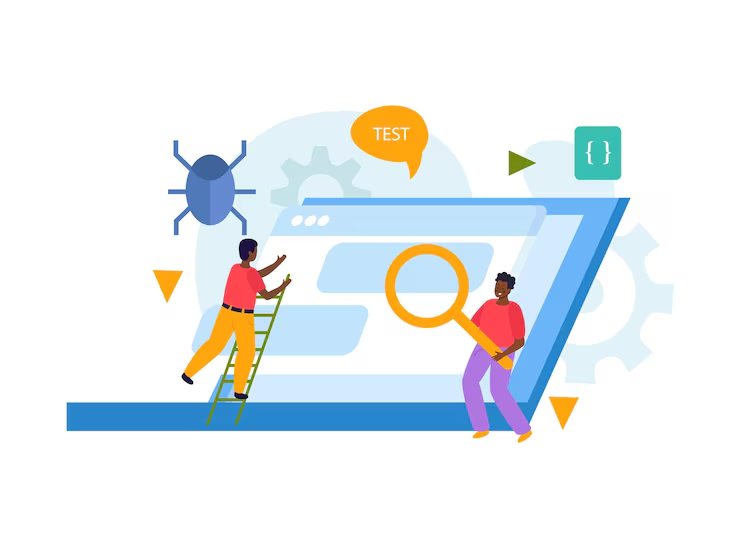
Testing and debugging are integral parts of the app development lifecycle, especially when aiming for high-performance mobile applications. In Flutter, we have access to a comprehensive suite of testing tools that allow us to validate our code at various levels—unit tests, widget tests, and integration tests. By writing thorough tests, we can catch bugs early in the development process and ensure that our applications function as intended.
Debugging in Flutter is made easier with the use of DevTools, which provides insights into performance metrics, widget rebuilds, and memory usage. By analyzing this data, we can identify potential issues and optimize our code accordingly. Additionally, employing techniques such as logging and error reporting helps us track down elusive bugs that may arise in production environments.
By prioritizing testing and debugging throughout our development process, we can build robust applications that deliver exceptional performance.
Utilizing Techno Softwares’ Expertise for Building Powerful Apps
As we navigate the complexities of mobile app development with Flutter, collaborating with experienced professionals can significantly enhance our projects’ success. Techno Softwares stands out as a leading provider of mobile app development services, offering expertise in Flutter development that can help us bring our ideas to life. Their team of skilled developers understands the nuances of the framework and can guide us through best practices while leveraging their extensive knowledge of tools and libraries.
By partnering with Techno Softwares, we gain access to a wealth of resources that can streamline our development process. Their experience in building high-performance applications ensures that we avoid common pitfalls while implementing innovative features tailored to our target audience. Furthermore, their commitment to quality assurance means that our apps will undergo rigorous testing before launch, providing us with peace of mind as we release them into the market.
Future-proofing Your Mobile App with Continuous Support and Maintenance
In the fast-paced world of technology, future-proofing our mobile applications is essential for long-term success. As we develop our Flutter apps, we must consider ongoing support and maintenance as integral components of our strategy. Regular updates not only keep our applications compatible with new operating system versions but also allow us to introduce new features based on user feedback.
Engaging with a reliable development partner like Techno Softwares ensures that we have access to continuous support post-launch. Their team can assist us in monitoring app performance, addressing user concerns promptly, and implementing necessary updates to enhance functionality over time. By prioritizing maintenance and support, we position ourselves for sustained success in an ever-evolving digital landscape.
In conclusion, as we explore the vast potential of Flutter for mobile app development, it becomes clear that understanding its capabilities is just the beginning. By choosing the right tools and libraries, implementing best practices for UI/UX design, optimizing performance, integrating APIs effectively, testing thoroughly, collaborating with experts like Techno Softwares, and committing to ongoing support and maintenance, we can create powerful applications that stand out in today’s competitive market. Our journey in Flutter development is not just about building apps; it’s about crafting experiences that resonate with users while ensuring long-term viability in an ever-changing technological landscape.
If you are interested in learning more about optimizing your website for mobile devices, you should check out this article by Techno Softwares. They provide valuable insights and tips on how to ensure your website is mobile-friendly and performs well on different devices. Additionally, if you are looking for Shopify maintenance services or want to boost your Shopify sales, Techno Softwares also offers solutions for these needs. Their expertise in mobile app development and e-commerce can help you achieve your business goals effectively.
FAQs
What is Flutter?
Flutter is an open-source UI software development kit created by Google. It is used to develop applications for mobile, web, and desktop from a single codebase.
What are the benefits of using Flutter for mobile app development?
Flutter offers benefits such as hot reload for faster development, a rich set of customizable widgets, a single codebase for multiple platforms, and high performance due to its use of the Dart programming language.
How can Techno Softwares help in building high-performance mobile apps with Flutter?
Techno Softwares has a team of experienced Flutter developers who can leverage the capabilities of Flutter to build powerful and high-performance mobile apps. They can provide end-to-end app development services, including design, development, testing, and deployment.
What types of mobile apps can be built using Flutter?
Flutter can be used to build a wide range of mobile apps, including but not limited to e-commerce apps, social networking apps, productivity apps, and gaming apps.
What is the process of building a mobile app with Flutter?
The process of building a mobile app with Flutter involves defining the app requirements, designing the user interface, writing the code using Dart programming language, testing the app, and deploying it to the app stores.
How does Flutter contribute to the performance of mobile apps?
Flutter contributes to the performance of mobile apps by providing a fast and smooth user interface, efficient rendering of graphics, and optimized use of device resources. Its use of the Dart language and native compilation also contributes to high performance.


